
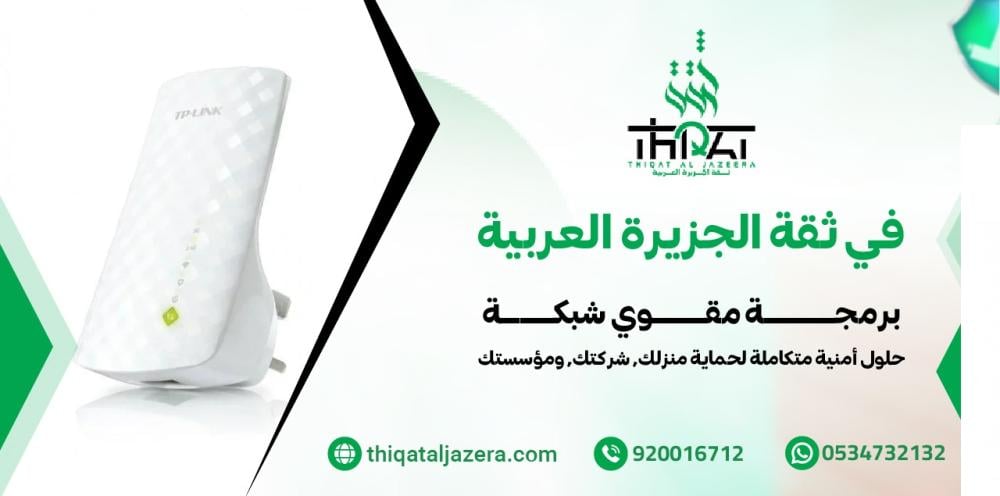

The comprehensive guide to programming mobile and internet signal boosters: Integrated "Thiqat Al Jazeera Al Arabiya" solutions
In light of the rapid digital transformation underway in Saudi Arabia, continuous internet and mobile network connectivity has become essential, whether at home or in the business sector. At Thiqah Al Jazeera Al Arabiya Security Systems, we understand that weak signal strength can hinder your productivity or compromise your facility's security. Therefore, we offer this detailed guide on professionally programming network boosters to ensure optimal coverage and unparalleled signal strength.
Introduction: Why do you need a network booster?
Some areas suffer from "dead zones" due to structural obstructions, distance from transmission towers, or frequency interference . This is where a signal booster/repeater comes in, capturing the weak signal, amplifying it, and then rebroadcasting it. However, the device alone is not enough; correctly programming the signal booster is the difference between achieving high-speed internet and experiencing continued disconnections.
First: Types of network boosters supported by Thiqat Al Jazeera Al Arabiya
Before starting the programming steps, you must know the type of device you are dealing with, as amplifiers are divided into:
- Mobile network boosters (GSM/4G/5G): These are designed to cover weak calls and mobile data.
- Wi-Fi extenders: Used to extend the range of a home internet modem.
- Mesh WiFi Systems: These are the latest systems that provide smart and uniform coverage for large areas.
Second: Steps for programming a Wi-Fi extender in detail
Programming Wi-Fi extenders is the most requested service, and here is the standard method followed by the engineers at Thiqat Al Jazeera Al Arabiya :
1. Initial Setup (Physical Setup)
- Connect the booster to a power source in the same room as the main "modem" (for programming purposes only).
- Wait until the power light is lit steadily.
2. Accessing the Admin Panel
- Look for the device's default Wi-Fi network name (often starting with a brand name such as TP-Link or Netgear).
- Connect to the network through your phone or computer.
- Open your browser and type in the default IP address (usually
192.168.1.1or192.168.0.254).
3. Binding settings
- Choose the main network you wish to strengthen from the list that will appear.
- Enter the password for the main network.
- Trusted advice from Al Jazeera Arabia: It is preferable to unify the network name (SSID) with the original network to ensure smooth roaming within the home.
Third: Programming the mobile network booster (Signal Booster)
These devices require high precision because they deal with external frequencies.
Choosing the appropriate frequency
Telecommunications companies in Saudi Arabia (STC, Mobily, Zain) rely on different frequencies such as 700, 800, 1800, and 2100 MHz. When programming a mobile network booster , you must ensure the following:
- Point the outdoor antenna towards the nearest broadcast tower.
- Adjust the "Gain Control" setting on the amplifier screen to avoid interference (oscillation).
Fourth: Common problems during programming and how to solve them
As experts at Arabian Peninsula Trust for Security Systems , we encounter some recurring challenges faced by users:
1. The "connected but without internet" problem
This is often caused by an IP allocation error (DHCP conflict). The solution is to disable DHCP on the repeater and make it obtain addresses from the main modem.
2. Signal interference
If the repeater is too close to the modem, interference may occur. The golden rule is to place the repeater in an area where two out of four signals from the original network are received.
3. Reduced speed after boosting
A network booster might successfully display "full towers," but the speed will remain slow. This is because you've chosen a congested channel. We always recommend using non-overlapping channels like 1, 6, or 11.
Fifth: Criteria for choosing the best network booster in Saudi Arabia
The network extender programming process cannot be completed successfully unless the hardware is of high quality. At Arabian Peninsula Trust , we recommend the following criteria:
- Dual Band support: Supports 2.4GHz and 5GHz frequencies.
- MU-MIMO technology: To allow multiple devices to connect simultaneously without slowing down.
- 5G compatibility: To ensure you keep up with the future.
Sixth: Services of Thiqah Al Jazeera Al Arabiya Security Systems Company
We don't just do programming; we offer integrated engineering solutions that include:
- Site study: Examine signal strength and identify "shadow" locations.
- Professional installations: Use (Cat6e) or Korean cables to ensure minimal signal loss.
- Protection configuration: Secure the network with WPA3 protocols to prevent intrusions.
Seventh: Technical tips for maintaining network stability
After you have finished programming your network extender , follow these tips:
- Firmware Update: Always make sure to update your device's software from the manufacturer's website to patch security vulnerabilities.
- Periodic restart: Setting the device to automatically restart once a week clears the cache and improves performance.
- Good ventilation: Boosters generate heat; placing them in a closed space may lead to poor performance.
Conclusion: Your confidence begins with your communication.
Setting up a network booster is an investment in your comfort and security. Whether you own a spacious villa, an administrative office, or a warehouse in a remote area, Thiqah Al Jazeera Al Arabiya Security Systems is your ideal partner for providing connectivity solutions using the latest global technologies.
Don't let weak signal keep you from connecting with the world. Contact us today for a technical consultation and a dedicated team to handle all installation and programming, ensuring optimal coverage throughout the Arabian Peninsula.